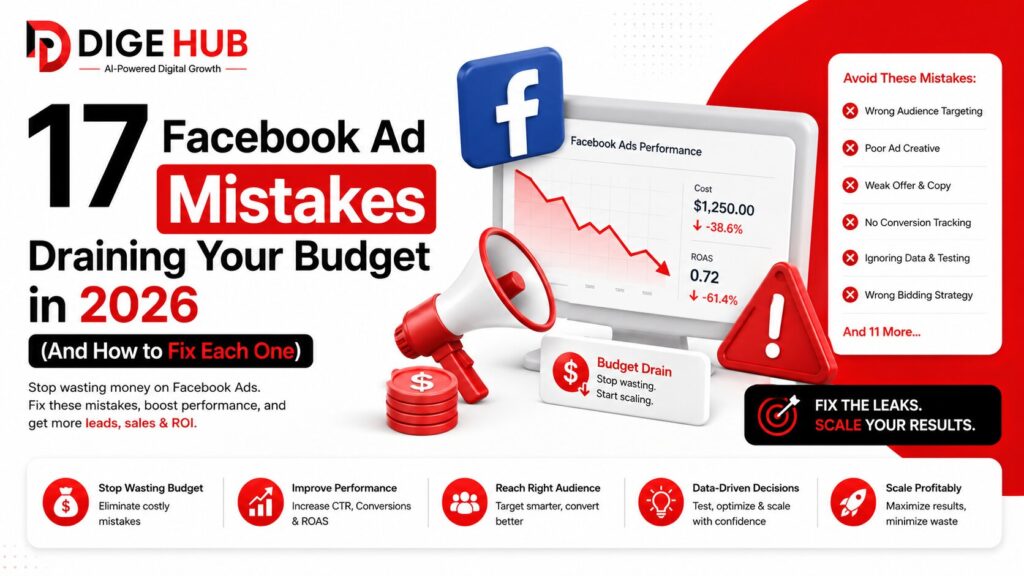
17 Facebook Ad Mistakes That Are Draining Your Budget in 2026–2027 (And How to Fix Each One)
Most Facebook ads don’t fail because the platform is broken. They fail quietly — bleeding budget day after day while the dashboard shows just enough activity to keep you from pulling the plug.
According to Adweek, 45% of small business advertisers waste at least a quarter of their Facebook budget on campaigns that never convert. That’s not a platform problem. That’s a setup problem, a strategy problem, and increasingly in 2026 — an algorithm understanding problem.
The rules have changed more in the last 18 months than in the previous five years combined. Meta’s Andromeda algorithm (rolled out in late 2024) fundamentally rewired how ad delivery works. The Conversions API has become non-negotiable as browser privacy restrictions erode pixel data. And AI-generated creative has introduced a whole new category of mistakes that didn’t exist two years ago.
If you’re spending money on Meta ads and not seeing the returns you expect, chances are you’re making at least three or four of the mistakes on this list — and you probably don’t know it yet.
Here’s how to find them and fix them.
Quick Answer: What Are the Most Common Facebook Ad Mistakes?
The most damaging Facebook ad mistakes in 2026–2027 are: choosing the wrong campaign objective, interrupting the learning phase too early, relying on the Pixel alone without the Conversions API, targeting too broadly without conversion signal data, letting creative fatigue go unchecked, and sending ad traffic to a generic homepage instead of a dedicated landing page. Beyond these, structural issues like audience overlap, budget fragmentation, and misusing Advantage+ automation quietly drain performance without triggering any obvious alarms.
Table of Contents
- Choosing the Wrong Campaign Objective
- Interrupting the Learning Phase
- Relying on Pixel-Only Tracking (Ignoring CAPI)
- Targeting Too Broadly Without Signal Data
- Targeting Too Narrowly and Starving the Algorithm
- Sending Traffic to Your Homepage
- Ignoring Creative Fatigue
- Not Understanding the Andromeda Algorithm Shift
- Audience Overlap Cannibalizing Your Own Budget
- Budget Fragmentation Across Too Many Ad Sets
- Using Boosted Posts Instead of Ads Manager
- Misusing or Over-Relying on Advantage+ Automation
- Skipping Mobile Optimization
- No Retargeting Strategy (or a Broken One)
- Using AI-Generated Creative Without Brand Guardrails
- Optimizing for Clicks Instead of Conversions
- Ignoring Industry Benchmarks When Evaluating Performance
Mistake #1: Choosing the Wrong Campaign Objective
This is where most budget gets wasted before an ad even runs.
When you select “Traffic” as your campaign objective but your actual goal is sales, you’re telling Meta’s algorithm to find people who click — not people who buy. These are meaningfully different audiences, and the algorithm will cheerfully deliver thousands of clicks from people who have zero intent to convert.
The fix is straightforward: match your objective to your actual business goal. Want purchases? Choose Sales → Purchase. Want form fills? Choose Leads. Want to warm up cold audiences? Traffic or Engagement can work — but only at the top of a structured funnel, not as a shortcut to revenue.
One agency reported a 40% drop in cost per acquisition within a single week simply by switching from Traffic to Conversions on a campaign that had been running for months. The spend didn’t change. The instruction to the algorithm did.
Mistake #2: Interrupting the Learning Phase
Meta’s algorithm needs time and data to figure out who to show your ads to. That process — the learning phase — typically requires 50 optimization events and at least 7 days. During this window, costs are unstable, performance looks bad, and the temptation to make changes is highest.
Most advertisers give in to that temptation. They see high CPMs on day three, assume the campaign is failing, and either pause it or start tweaking the audience, budget, or creative. Every significant edit resets the learning phase from scratch.
The rule: don’t touch a new campaign for at least 7 days or until it hits 50 conversion events, whichever comes first. If you can’t reach 50 purchase events in that window, optimize for a higher-funnel action (like landing page views or add-to-cart) so the algorithm has enough signal to graduate out of learning.
If a campaign shows “Learning Limited” status rather than “Active,” that’s your warning that the ad set isn’t generating enough data — and more budget may be needed, not more changes.
Mistake #3: Relying on the Pixel Alone (Ignoring the Conversions API)
The Meta Pixel was the standard tracking tool for years. In 2026, running it without the Conversions API (CAPI) is like navigating with half your instruments broken.
Ad blockers, iOS privacy changes, and browser-level tracking restrictions now block a significant percentage of browser-side pixel events. The data that reaches your ad account is incomplete — which means Meta’s algorithm is making optimization decisions on partial information. You’re paying for a system that’s flying partially blind.
CAPI solves this by sending conversion data server-side, bypassing the browser entirely. It doesn’t replace the Pixel — it redundantly reinforces it. Running both together gives you the strongest possible data foundation.
The setup requires access to your website’s server, but Meta’s CAPI Gateway makes it significantly easier for most platforms, and most major CMS integrations (Shopify, WooCommerce, etc.) now have native CAPI support. If your campaigns feel like they’ve gotten less efficient over the past year without an obvious cause, weak tracking signal is often the culprit.
Mistake #4: Targeting Too Broadly Without Conversion Signal Data
Meta’s Advantage+ Audience feature makes it easy to launch a campaign with almost no targeting constraints and let the algorithm find buyers on its own. The pitch is compelling. The reality for most advertisers is an efficient way to burn budget.
Meta’s AI is genuinely good at finding audiences. But “finding audiences” and “finding buyers” are different tasks, and Advantage+ will optimize for whoever engages most — not whoever purchases most — unless it has strong historical conversion data to work from.
For accounts with fewer than 50 conversions per week, broad targeting without signal data means the algorithm is guessing. The fix is to seed it properly: upload your existing customer list as a custom audience, ensure your CAPI is firing purchase events, and give the algorithm something to pattern-match against before you let it roam.
Mistake #5: Targeting Too Narrowly and Throttling Delivery
The opposite problem is equally expensive. Stacking too many interest layers, adding excessive demographic restrictions, or creating ad sets under 50,000 people puts you in a delivery environment where the algorithm has almost no room to operate.
Narrow targeting drives up CPMs because you’re competing in a small pool. It also prevents the algorithm from discovering people who don’t match your intuitive customer profile but actually convert well in practice.
Start with a defined core audience based on your best customers. Test a lookalike audience based on your purchase data alongside it. Let performance data — not assumptions — tell you where to narrow.
Mistake #6: Sending Ad Traffic to Your Homepage
Your homepage is designed for everyone. Your ad is designed for someone specific. Sending ad traffic to a general homepage is one of the most reliable ways to produce high click-through rates with low conversion rates.
Dedicated landing pages consistently outperform homepages by 50–70% on conversion rate. The reason is message match: when someone clicks an ad promising a free audit, they expect to land on a page about free audits — not a general services overview with a navigation menu pulling their attention in six directions.
Every campaign should have a corresponding landing page that mirrors the ad’s offer, headline, and call to action. Remove navigation menus. Remove anything that isn’t moving the visitor toward the single conversion goal. This is one of the highest-leverage fixes on this list.
💡If you’re running campaigns without a dedicated conversion-optimized landing page, Digehub’s Website Development team builds performance-focused landing pages designed specifically to convert paid traffic.
Mistake #7: Ignoring Creative Fatigue
Your ad creative has a shelf life, and it’s shorter than most advertisers expect. Once the same people have seen your ad three, four, five times, click-through rates drop, costs rise, and the algorithm starts deprioritizing your account.
The signal to watch is frequency. When frequency climbs above 2.5–3 for a cold audience and CPMs start rising simultaneously, you have fatigue. Don’t wait for performance to collapse — rotate creative proactively.
In 2026, Meta introduced a “Creative Fatigue” score in Ads Manager and a “Creative Similarity” metric. High similarity scores — meaning too many ads look and feel alike — actively raise your CPMs because the algorithm reads it as repetitive and penalizes you for it. Keep three to five active creative variants per ad set. Refresh hooks every two to four weeks. Varying format (static vs. video vs. carousel) resets attention even when the offer stays the same.
Mistake #8: Not Understanding How the Andromeda Algorithm Changed Everything
This is the most important shift most advertisers still haven’t absorbed.
In late 2024, Meta replaced its old targeting infrastructure with Andromeda — a new delivery system that fundamentally changes the relationship between creative and audience. Under the old system, you defined your audience and then showed them creative. Under Andromeda, your creative is your targeting signal. The algorithm reads your ad’s visual, copy, and format to determine which users to show it to.
The practical implication: generic creative doesn’t just underperform, it actively attracts the wrong audience. An ad with a vague headline and stock photography sends unclear signals about who should see it. An ad with specific pain points, specific language, and a specific visual aesthetic functions as a precision targeting tool — it self-selects the right audience before Meta even gets involved.
This means copywriting and visual strategy aren’t creative concerns in 2026. They’re targeting decisions.
Mistake #9: Audience Overlap Cannibalizing Your Budget
When two or more of your ad sets are targeting significantly overlapping audiences, they enter Meta’s auction competing against each other. You end up bidding against yourself, which drives up costs and fragments your data.
Use Meta’s Audience Overlap tool to check for overlap between your ad sets. If overlap exceeds 30–40%, you’re cannibalizing your own delivery. The fix is to consolidate overlapping sets or add exclusions so each ad set owns a distinct audience segment.
This problem is particularly common when advertisers run multiple interest-based audiences that haven’t been isolated: parents of young children, homeowners, high-income earners — all might target the same person with different bids from the same account.
Mistake #10: Budget Fragmentation Across Too Many Ad Sets
The more you split your budget, the less any single ad set gets — and Meta’s algorithm needs a minimum data threshold to optimize effectively. An account running 15 ad sets at $5/day each is giving the algorithm nothing to work with in any of them.
An e-commerce brand spending $10,000/month can lose $3,000–$4,000 to budget fragmentation alone. That’s money the algorithm couldn’t learn with because it was spread too thin.
The structural fix: consolidate. Fewer campaigns, fewer ad sets, more budget per unit. Let the algorithm reach optimization thresholds on each campaign before splitting or scaling. The Campaign Budget Optimization (CBO) feature can help Meta allocate budget dynamically to whichever ad sets are performing, rather than forcing equal splits.
Mistake #11: Using Boosted Posts Instead of Ads Manager
Boosting is not advertising. It’s the simplified, stripped-down version of Meta’s ad system that removes access to campaign objectives, Advantage+ optimization, full creative controls, CAPI integration, and A/B testing.
When you boost a post, you’re paying to show existing organic content to more people. It feels easy. The tradeoff is that you lose almost all the tools that make Meta advertising actually work.
Run everything through Ads Manager. Boosting is only defensible if you’re specifically trying to amplify social proof on a post that’s already performing organically — and even then, a proper awareness campaign will typically outperform it.
Mistake #12: Misusing or Over-Trusting Advantage+ Automation
Advantage+ is a powerful set of tools. It’s also one of the most misunderstood. The common mistake is handing full control to Advantage+ Creative, which allows Meta to modify your visual assets — adjusting image composition, adding music to videos, generating new background colors — without explicit approval.
For some brands, this is fine. For brands where visual identity is carefully managed, Advantage+ Creative modifications can produce off-brand ads at scale, effectively running creative you never approved.
The fix: review Advantage+ Creative settings at the ad level and disable specific modifications that violate brand guidelines. Enable the automation that works for your account (dynamic creative combinations, expanded audiences at scale), and selectively disable the elements that compromise brand consistency.
Mistake #13: Skipping Mobile Optimization
Over 95% of Facebook’s daily active users access the platform on mobile. Yet a surprisingly large number of ads are still designed for desktop-first viewing — horizontal images that get cropped in Stories, text that’s too small to read on a phone screen, landing pages that take seven seconds to load on 4G.
Mobile-first creative means 9:16 aspect ratio for Stories and Reels, large readable fonts, front-loaded visuals that communicate in the first three seconds before a viewer can scroll, and landing pages that load in under three seconds on mobile.
Check your ad previews across every placement before publishing. What looks clean in the desktop feed might be unreadable cropped into a Story.
💡Struggling to build landing pages that load fast and convert on mobile? Digehub’s Meta Ads management service covers full-funnel optimization including mobile landing page performance.
Mistake #14: No Retargeting Strategy — or a Broken One
Running only cold prospecting campaigns is leaving the most efficient part of your funnel unused. People who visited your website, watched your video, or engaged with your page are dramatically more likely to convert than cold audiences — but only if you have a retargeting strategy built to reach them.
The two common failure modes: no retargeting at all (lost warm traffic), or retargeting everyone including people who already converted (wasted budget re-acquiring existing customers).
Build dedicated retargeting campaigns with separate budgets. Exclude converters and recent purchasers using custom audiences built from your pixel events. Segment by engagement depth: someone who watched 75% of a video deserves a different message than someone who bounced from the homepage after five seconds.
Mistake #15: Using AI-Generated Creative Without Brand Guardrails
AI image generators and copy tools have made ad creative faster and cheaper than ever. They’ve also introduced a new category of expensive mistakes that didn’t exist until recently.
The most common: wrong aspect ratios. AI image tools default to standard dimensions that don’t match Meta’s placement specifications. An image generated at 1:1 that Meta crops for a 9:16 Story loses critical visual information — sometimes the entire subject of the image.
The second problem is brand drift. When multiple team members generate creative with AI tools independently, without shared brand parameters, your ad account starts to look like it belongs to four different companies. Colors shift, tone changes, the visual language loses coherence.
Before using AI-generated creative in paid distribution, establish explicit brand parameters in your generation prompts: primary colors with hex codes, font style, tone of voice, visual style reference. Treat AI generation as a starting point, not a final product. Always review outputs against your brand guidelines before publishing.
Mistake #16: Optimizing for Clicks Instead of Conversions
High CTR is a vanity metric if it doesn’t produce conversions. When a campaign shows a 4% click-through rate and zero purchases, the temptation is to assume the targeting is working and the landing page is broken. Sometimes that’s true. But often, the campaign is optimized for the wrong outcome — attracting clickers who were never buyers.
Optimize for the deepest conversion event your campaign can realistically achieve within the learning phase. If you don’t have enough purchase volume, optimize for add-to-cart. If you don’t have that, optimize for landing page views. Work your way down the funnel as your data volume grows.
High CTR with no conversions usually means one of three things: the landing page isn’t converting, the offer doesn’t match what the ad promised, or the algorithm found click-happy users instead of intent-driven buyers. Solve at the right level.
Mistake #17: Ignoring Industry Benchmarks When Evaluating Performance
“My CPC is $1.20 — is that good?” Depends entirely on your industry.
Evaluating ad performance without industry benchmarks is like grading on a curve without knowing the curve. The average Facebook CPC across all industries in 2026 sits around $0.97–$1.72. But high-intent industries like legal services or financial services can see CPCs of $3–$5+ while remaining profitable. Meanwhile, e-commerce brands in apparel might have a $0.50 CPC that’s still underperforming if their conversion rate is poor.
The metrics that matter most: Cost per Acquisition (CPA) relative to your product’s average order value, ROAS (Return on Ad Spend) benchmarked against your industry median, and Cost per Lead relative to your close rate and average deal size.
Know your industry benchmarks before you evaluate your campaigns. A number that looks alarming in isolation might be excellent in context — and vice versa.
The Future: Where Meta Advertising Is Heading
Meta is actively developing what it calls the Generative Ad Model (GEM) — an AI system that will eventually allow advertisers to provide a product URL, a budget, and a brief prompt, and have Meta’s AI generate the entire campaign from scratch. Images, copy, headlines, targeting, and optimization all handled autonomously.
When GEM matures, the competitive advantage in Meta advertising will shift away from account structure and targeting tactics — which the AI will handle — and toward the fundamentals that AI can’t replicate: deep customer understanding, a genuinely compelling offer, and a post-click experience that actually converts.
The marketers who master Meta advertising in the coming years won’t be the ones who are best at navigating Ads Manager. They’ll be the ones who understand their customer’s psychology better than the algorithm does.
Expert Insights: What Separates Profitable Meta Campaigns From Losing Ones
Three consistent patterns show up in high-performing Meta ad accounts:
Signal quality over signal quantity. High-performing accounts don’t have more data — they have cleaner data. CAPI is set up correctly, conversion events are firing accurately, and the algorithm has a precise picture of what a real customer looks like. Poor accounts rely on noisy, incomplete browser-side tracking.
Creative treated as targeting. Under Andromeda, the best-performing accounts write ad copy and design visuals with the specific audience in mind — not just the product. The creative pre-qualifies the viewer before Meta’s delivery system even gets involved.
Patience during learning, decisiveness after. Top advertisers resist the urge to make changes during the learning phase. But once a campaign exits learning, they’re fast — rotating creative at the first sign of fatigue, scaling what works, cutting what doesn’t within days, not weeks.
Common Facebook Ads Mistakes Checklist
Before launching your next campaign, run through these:
- [ ] Campaign objective matches your actual business goal
- [ ] CAPI is configured alongside the Meta Pixel
- [ ] New campaigns will get at least 7 days before evaluation
- [ ] Dedicated landing page built for this specific campaign
- [ ] Custom audiences built from your CRM or purchase data
- [ ] Cold and warm audiences in separate campaigns
- [ ] Creative reviewed on mobile across all placements
- [ ] Frequency monitoring scheduled weekly
- [ ] Past converters excluded from prospecting campaigns
- [ ] AI-generated assets reviewed against brand guidelines
FAQ
How do I know if my Facebook ads are wasting money? The clearest signals are: rising CPMs without increased conversion volume, frequency above 3 on cold audiences, campaigns stuck in “Learning Limited” status, and ROAS below your industry breakeven threshold. Run a systematic audit against the 17 mistakes on this list.
How long should I run a Facebook ad before judging it? At minimum, 7 days or 50 conversion events — whichever comes first. Never evaluate performance during the active learning phase. Costs during learning are inherently unstable and don’t reflect true campaign potential.
What’s the biggest Facebook ad mistake for beginners? Choosing the wrong campaign objective, followed by optimizing for clicks instead of conversions. Many beginners also skip the Conversions API setup, which means the algorithm is working from incomplete data from day one.
How often should I refresh Facebook ad creative? For most accounts, every 2–4 weeks. For larger budgets with high impression volume, weekly creative reviews are appropriate. Watch your frequency metric and Creative Fatigue score in Ads Manager — don’t wait for performance to collapse before rotating.
Is boosting posts the same as running Facebook ads? No. Boosted posts give you limited targeting options, no access to Advantage+ automation, no CAPI integration, and no conversion optimization. Use Ads Manager for any serious advertising investment.
What is the Andromeda algorithm and why does it matter? Andromeda is Meta’s new ad delivery system rolled out in late 2024. Unlike the previous system where you defined audiences and showed them creative, Andromeda uses your ad creative to determine who to target. This means creative quality and specificity are now more important than ever — your ad copy and visuals are effectively your targeting parameters.
Why are my Facebook ads getting clicks but no sales? This typically indicates one of three problems: the landing page experience breaks message match (the page doesn’t deliver what the ad promised), the campaign is optimized for clicks rather than conversions (attracting browsers not buyers), or the offer itself lacks urgency or clarity. Start by checking landing page alignment, then verify your campaign objective.
Final Thoughts: Stop Spending More. Start Spending Smarter.
Facebook and Instagram advertising remains one of the highest-leverage paid channels available to businesses globally. But the platform rewards advertisers who understand how it actually works — not just how it appears to work from the surface of Ads Manager.
Most of the budget waste happening right now isn’t caused by the algorithm, the competition, or bad luck. It’s caused by setups that look reasonable but misalign with how Meta’s delivery system makes decisions.
Fix the objective. Let the learning phase run. Set up CAPI. Build a real landing page. Understand that under Andromeda, your creative is your targeting. Get those fundamentals right before you spend another dollar on optimization.
🚀 Ready to Stop Wasting Your Meta Ad Budget?
If you’re tired of watching spend go up and results stay flat, Digehub’s Meta Ads management service is built specifically to audit, restructure, and scale Facebook and Instagram campaigns that actually convert. We work with businesses across the USA, UK, Canada, and Australia.
And if you’re also looking to improve the organic traffic feeding your funnel, try our Free SEO Blog Writing Tool — designed to help you build content that ranks and converts alongside your paid efforts.
Related Reading:
- What Is AI Visibility and Why It Matters for Your Brand in 2026
- Google Ads vs Meta Ads: Which Platform Should You Invest In?
- How to Build a Content Strategy That Drives Leads, Not Just Traffic