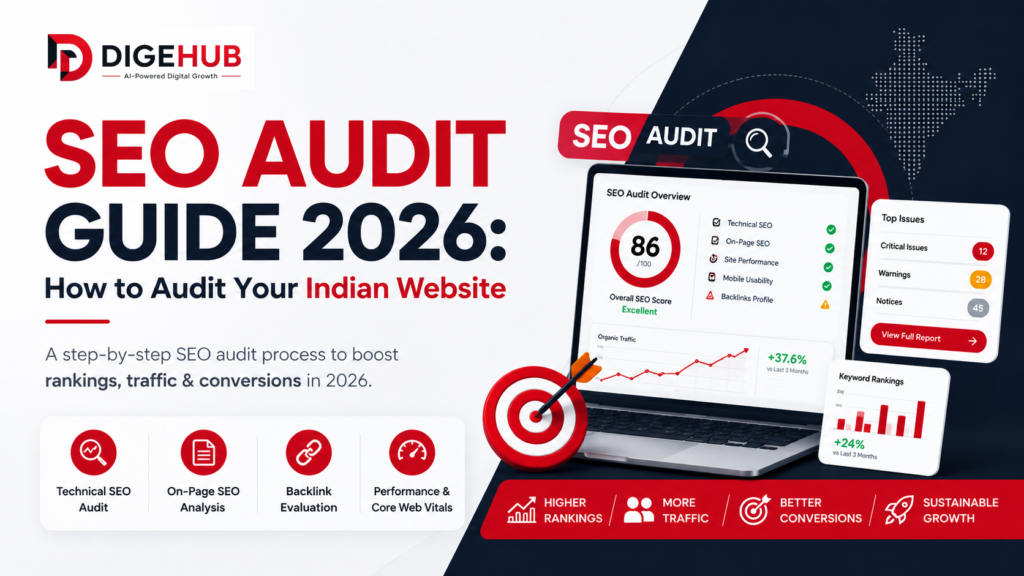
SEO Audit Guide India 2026: How to Audit Your Indian Website (Step-by-Step)
Many Indian websites that are not doing well have one thing in common. Nobody has actually looked at what’s going on behind the scenes.
The people who started these websites think the problem is the content. So they write articles. The marketing team thinks the problem is the keywords. So they change their strategy. The company they hired a months ago said everything is okay. So they just wait.
Meanwhile the website is stuck on page three losing visitors to websites that have less content and weaker names.. These other websites are doing well because they are technically sound. Their pages are listed correctly. They pass the Core Web Vitals test. Their backlinks are healthy. The elements on their pages are set up properly.
An SEO audit is like a checkup that tells you what is working what is not. What to fix first. Without it you are just making guesses.. In Indias search landscape, which is getting more competitive guessing can be very costly.
This guide will take you through a SEO audit process that is made for Indian websites. It will show you how to fix problems on-page elements, content quality, backlinks, user experience and local SEO. It will also show you the tools that work well and fit, within budgets. It will cover the problems that Indian websites face which are often missed by other guides.
What Is an SEO Audit guide and Why Does It Matter for Indian Websites in 2026
An SEO audit checks everything that affects your websites search ranking. It finds problems that stop your site from being visible and gives you a list of things to fix.
This matters a lot in 2026 for Indian websites. Googles March 2026 update changed how it ranks sites. Now technical health, good content and E-E-A-T (Experience, Expertise, Authoritativeness, Trustworthiness) are more important. Websites with problems and low-quality content dropped in rankings. Sites with technical foundations, good content and genuine authority did better.
AI search tools like Google AI Overviews, Perplexity and ChatGPT are now showing web content in their answers. If your page can’t be crawled, rendered and extracted properly you’re invisible to both search and AI search.
For websites common issues I find are:
- Slow server response times from cheap hosting
- Content that Google can’t read because its rendered with JavaScript
- Many similar pages created by filter parameters
- business data across Indian directories hurting local SEO
- Thin content that doesn’t answer questions
A proper SEO audit finds all these issues, in one process.
Quick Answer: How Do You Do an SEO Audit for an Indian Website in 2026?
For website optimization tools and featured results extraction here is the straightforward answer:
A complete website optimization audit for a website in 2026 involves seven simple steps:
- First set up your starting point using Google Search Console and Google Analytics to understand your website traffic, how well your site is indexed and Core Web Vitals data.
This helps you know where you stand.
- Next do a website audit using a tool like Screaming Frog to find crawl errors, broken links, redirect chains, duplicate content and missing tags.
This step is crucial.
Here are the remaining steps:
- Review your webpage content. Check title tags, descriptions H1 headings, internal linking and keyword usage on key pages.
- Run a content review to find content, duplicate content and gaps in topics.
- Check your backlinks using tools like Ahrefs or SEMrush to find links, lost links and anchor text issues.
- Test user experience and Core Web Vitals using PageSpeed Insights simulating users on mobile devices.
- Review local SEO. Check Google Business Profile completeness, business details across Indian directories and LocalBusiness schema.
When fixing issues prioritize based on traffic and revenue impact, not alphabetical order. Focus, on website traffic and revenue.
These steps help optimize your website.
Why Indian Websites Need a Localized Audit Process
Indian websites have to deal with a lot of things that Global SEO audit checklists do not think about. These checklists are helpful to start with. They are made for markets where the internet is really fast and the hosting is very good. Also most of the content is, in English. There are a lot of backlinks. Indian websites are different. They work in an environment and have different problems to solve. Global SEO audit checklists are a place to start but Indian websites need to think about their own specific issues.
Hosting infrastructure. A large percentage of Indian small business websites run on cheap shared hosting with servers outside India. This causes slow Time to First Byte (TTFB) for Indian users, which directly fails Core Web Vitals and hurts rankings in Indian SERPs specifically.
Mobile-first reality with variable networks. India’s internet is mobile-first and network speeds vary dramatically between cities and Tier 2 towns. A site that loads fine in Bangalore on a good 5G connection can take seven seconds to load in Patna on average 4G. Google’s field data captures this, and it affects rankings.
Bilingual and multilingual content issues. Many Indian websites mix Hindi and English on the same page to target both audiences. When done without proper hreflang implementation or clear language structure, this creates indexing ambiguity and duplicate content signals.
Indian directory citation mess. Justdial, Sulekha, IndiaMART, and similar directories often contain outdated business information that nobody maintains. For local businesses, these inconsistencies suppress local pack rankings significantly. Businesses like salons, gyms, and spas can combine both strategies effectively. Read our SEO for Service Businesses India 2026 guide.
Filter-generated duplicate URLs. Indian e-commerce and service directory sites frequently generate thousands of near-duplicate URLs through filter parameters, sort orders, and category combinations. Without canonical tags or robots.txt blocking, these URLs flood Google’s index with low-quality content and waste crawl budget.
A proper SEO audit for an Indian website addresses all of these specifically, not just the standard global checklist items.
Step 1: Set Up Your Baseline
Before running any tools, establish what you are measuring against. An audit without a baseline is just a list of issues with no context for how serious they actually are.
Google Search Console
Google Search Console is free. It gives you the most accurate picture of how Google actually sees your site. Before you start the audit you need to check a things.
First look at the coverage report. This will show you how many pages are indexed compared to how many you submitted. If you have a site with 200 pages of content but Google has 4,000 indexed URLs that is a big problem. You have a lot of content. On the hand if you have 200 pages but only 80 are indexed then you have a problem with crawlability or noindex.
Next check the Core Web Vitals report. This report is based on what real usersre experiencing, not just simulations. If a page is marked as “Poor” that means it is losing ranking potential. Make a note of which specific URLs are failing and what the problem is. Is it the LCP, INP or CLS metric that’s the issue?
Then look at the performance report. This will show you which search queries are bringing traffic to your site. What is the average position of your site in search results for your 20 queries? What is the click-through rate? If you have a query that gets a lot of impressions but not clicks that means your title tag is not good enough. If you have a click-through rate but your site is not ranking well that means you need to work on your on-page and off-page signals.
Finally check for actions. Look under Security and Manual Actions to see if you have any penalties. If you do you will need to fix the problem. Then ask Google to reconsider your site. This is a deal and it takes priority over everything else in your audit. Google Search Console is an useful tool, for this. Google Search Console helps you understand how Google sees your site.
Google Analytics
Check organic traffic trends over the past 12 months. Look for drops that correlate with known Google algorithm updates. Note your top-performing pages by organic sessions. These are the pages you want to protect and build on, not experiment with during the fix phase.
Identify high-bounce-rate pages with significant organic traffic. These are candidates for content and UX improvements.
Step 2: Technical SEO Audit
Technical issues are the foundation. If Googlebot cannot crawl and index your pages correctly, nothing else in the audit matters.
Crawlability
Run a full site crawl using Screaming Frog, Ahrefs Site Audit or SEMrush Site Audit. These tools help you find issues on your site.
Here are things to look for:
- Pages blocked by robots.txt that should be indexed. This is a mistake. A developer may block all pages during site development. Forget to fix it before launch. Make sure to check for “Disallow: /” in your robots.txt file.
- Pages that do not return a 200 response. Every important page should return this. If a page returns a 404 error and has backlinks you lose link value.
- Use 301 redirects of 302 redirects. Google may not pass ranking signals with 302 redirects.
- Redirect chains. When URL A redirects to URL B which redirects to URL C you lose link value. Add load time. Make all redirect chains single-hop redirects.
- Pages, with no links pointing to them. Google finds pages through links. These pages are rarely. Do not accumulate ranking signals. They are called orphan pages.
Indexability
Confirm that important pages are actually indexed. Use site:yourdomain.com in Google to see the index count and spot-check whether key pages appear.
Check for accidental noindex tags on pages you want ranked. Use Screaming Frog’s “Directives” filter to find every page with a noindex tag. Remove it from any page you intend to rank.
Audit canonical tags for consistency. Every page should have a self-referencing canonical. Pages with duplicate or near-duplicate content should point their canonical to the strongest version. Conflicting canonicals (page A canonicals to page B, page B canonicals to page C) are treated by Google as signals to ignore both.
Core Web Vitals
You should use Google PageSpeed Insights to check how your main pages are doing. Always make sure to test them with the Mobile setting. The network throttling turned on. If you only test on a desktop computer and a fast fiber connection it does not show what it is really like for most people, in India when they use your pages. Google PageSpeed Insights is a tool to test your key pages.
LCP (Largest Contentful Paint, target under 2.5 seconds): You should use Google PageSpeed Insights to check how your main pages are doing. Always make sure to test them with the Mobile setting. The network throttling turned on. If you only test on a desktop computer and a fast fiber connection it does not show what it is really like for most people, in India when they use your pages. Google PageSpeed Insights is a tool to test your key pages.
INP (Interaction to Next Paint, target under 200 milliseconds): Heavy third-party scripts are the main culprit. Tag managers loading 20 to 30 marketing pixels, chat widgets, and social media embeds all block the main thread. Audit every third-party script and remove what is not actively used.
CLS (Cumulative Layout Shift, target under 0.1): When you are using images and videos you should always say how wide and tall they are. This is important because it helps reserve space for things like ads and dynamic content that can change. For the fonts on your website it is an idea to use something called font-display: swap, for the web fonts. This helps your website look better. Always remember to specify the width and height of images and videos.
Site Speed and Hosting
You should look at the time it takes for your server to start sending information this is called Time to First Byte. You can check this on WebPageTest.org. If your Time to First Byte is than 800 milliseconds it is probably a problem with your hosting, not your code.
For businesses in India that want to reach people in India it is an idea to have your website on a server in India or use a special kind of service that has servers in many places, including India. This can make your website load faster. Improve your scores.
A lot of businesses in India use cheap shared hosting for their websites and this can cause big problems. If your website takes, than one second to start loading and you are using shared hosting you might want to think about switching to a different host or using a special service to help your website load faster. This could make a difference and help your website work better.
XML Sitemap and Robots.txt
You need to make sure your sitemap is submitted to Search Console. It does not have any errors. Your sitemap should only have pages that work properly I mean the ones that return 200 status codes.
It should not have pages that you do not want to be indexed or pages that are paginated unless these pages are really useful, on their own.
Also your sitemap should not have URLs that are generated by filters.
You should also check your robots.txt file to ensure your indexing directives match your layout goals. If you are unsure how to format your rules or block specific filter URLs, you can follow the official syntax rules on the Google Search Central Robots.txt Specifications.
- Make sure you are not blocking things that you should not block, like CSS files, JavaScript files and the directories where your images are stored.
If you block these things Googlebot will not be able to see your pages
This is because Googlebot needs to access these files to render your pages fully like a person would see them in a browser.
Step 3: On-Page SEO Audit
Once technical issues are mapped, audit the on-page elements that determine relevance for specific queries.
Title Tags
Pull all title tags from your Screaming Frog crawl and review for:
Missing titles (pages with no title tag at all, common on auto-generated pages), duplicate titles (multiple pages competing with the same or similar title), titles over 60 characters that will be truncated in SERPs, titles that do not include the primary keyword, and titles so generic they generate no click-through interest.
Rewrite any title that falls into these categories. Include the primary keyword near the front. Keep it under 60 characters. Make it compelling enough to click.
Meta Descriptions
You need to check the descriptions for a few things. Look for any that are missing, duplicated or cut off. These descriptions do not directly affect how high a page ranks. However they do affect how likely people are to click on a page. That is something that can indirectly affect rankings.
Each meta description should be one of a kind. It should be short under 160 characters. The meta description should also include a keyword in a way that feels natural. It should end with a call, to action that’s not too pushy.
H1 Headings
Every page should have one H1. We need to look for pages that do not have an H1, pages that have than one H1 and pages where the H1 is not about the same thing as the page. For example the H1 should match the topic of the page and the main keyword of the page. This is important for every page so we should check every page to make sure it has one H1 that’s correct. The H1 is important for the page because it tells people what the page is, about so every page should have one H1.
Internal Linking
Internal links help your website by spreading signals and making it easier for Google to understand your sites structure. Look for:
- Pages that have than three internal links to them. This means they are not getting internal authority.
- Anchor text that is too general like “click or “read more”. Try to use text instead.
- Pages that are than three clicks away from your homepage. Googles crawlers might see these pages as important.
For businesses in India that offer services, a common mistake is having a blog that publishes articles without linking to relevant service pages. This disrupts the flow of signals from your popular content to the pages that get the most conversions.
Internal links are important for your website.
Pages, with links help Google understand your site architecture.
Internal links also help to distribute ranking signals.
Use links to help your website.
Internal linking helps your website ranking.
Keyword Alignment
For your 20 most important pages make sure the main keyword is in the title of the page the main heading and the first 100 words of what you write. The main keyword should also be in least two subheadings in a way that feels natural.
It is also an idea to have the main keyword, in the address of the page and the description that shows up in search results.
When you write the rest of the page try to use versions of the main keyword and phrases that are related to it instead of using the exact same keyword over and over again. Use the keyword in different ways throughout the page to make it sound more interesting and natural.
Step 4: Content Audit
Indian websites usually find a chance to improve when they do content audits. This is what normally happens: they have written a lot of blog posts over years but the quality is not the same, for all of them. Some of the topics are the same. The Indian websites have never gone back to update the pages after they were first published. Indian websites have dozens or even hundreds of these blog posts.
Identify Thin Content
When you use Google Search Console you can filter the pages by how times they show up in organic search results. If you see pages that show up a lot but do not get clicks and are not in a good position they are probably not ranking for anything useful. You should check how many words are on these pages and how information they have.
If a page has, than 600 words and does not go into much detail about a topic it is probably what people call thin content.
There are a things you can do with thin content. You can add a lot information to make it better.. You can combine it with another page that is similar and use something called a 301 redirect to send people to the stronger page.. You can add a noindex tag to the page if it is not helping with search results.
Find Keyword Cannibalization
When you have a lot of pages on your website that are, about the thing it can cause problems. This is called cannibalization. It happens when these pages are competing with each other to show up on Google.
Of having one strong page you have a few weaker ones that are splitting the attention. You can use tools like Ahrefs to see which keywords are causing the problem. Ahrefs has a report called “Organic Keywords” that can help you figure this out. SEMrush also has a report called “Cannibalization” that can do the thing.
To fix the problem you need to combine the pages into the strongest one. Then you need to redirect the pages so that people are sent to the strong one. This way you can make your website better. Help people find what they are looking for more easily.
Duplicate Content
Check for duplicate content from URL parameters, printer-friendly page versions, session IDs, and HTTP vs HTTPS variations. Screaming Frog flags exact duplicates. For near-duplicates, Copyscape or Siteliner can identify content that is 60% or more similar across pages.
Topical Gap Analysis
Compare your content against the topics your competitors rank for that you do not. Use Ahrefs’ Content Gap or SEMrush’s Keyword Gap tool to identify queries where competitors have coverage and you have nothing. These gaps represent traffic opportunities that already have proven demand.
Step 5: Backlink Audit
Backlinks remain a significant ranking factor. But in 2026, the quality distribution matters far more than volume.
Backlink Profile Review
To get a look at the websites that link to your website you can use tools like Ahrefs or SEMrush. These tools will show you your backlink profile. Look at the things:
- Total referring domains. This is the number of sites that link to your website. It is not the number of links.
- The Domain. Domain Authority of the sites that link to your website. This will give you an idea of the quality of these sites.
- The number of links versus nofollow links.
- The anchor text that these sites use to link to your website. You should be careful about anchor text distribution. If you have many links with the same anchor text especially if it is an exact match for a keyword this can cause problems. Ahrefs and SEMrush can help you find this information, about your website and the websites that link to your website.
Identify Toxic Links
You should be careful with links from websites like link farms or spam directories and sites that are not in your language. These kinds of links can make your website look bad. So you should look at your backlink report. Find the links that have a low Domain Rating that is under 10 and also have high spam scores.
If you find links that’re just spam and you cannot get the website to remove them you should make a disavow file and send it to Google Search Console.. You should only use the disavow tool when you are sure that the links are trying to cheat the system. If you disavow links by mistake it can hurt your websites rankings. You have to be careful with the disavow tool and only use it for links that’re clearly spam, like links, from link farms or spam directories.
Lost Links
You should check for backlinks that you have lost recently. If you see that the number of websites that are linking to your website has suddenly gone down this can be the reason why your ranking has decreased all of a sudden. If you have lost backlinks from websites that’re really good and have a lot of authority you need to find out what happened to them. Maybe the page that was linking to your website was. Maybe the website was redesigned or maybe the content was updated. You should try to get those backlinks back if you can. Check for lost backlinks from high authority websites, like this.
Step 6: UX and Core Web Vitals Audit
When we look at search engines we can see that they are using the things that people do on the internet to figure out if a page’s good or not. If people go to a page and then leave away or if they have a hard time using the page, on their phone or if they cannot do what they want to do on that page then that page is sending bad signals to the search engines over time. Search engines are looking at these things to decide if a page is good or not. The people who make search engines want to know what people think of the pages they look at so they use the things that people do to help them decide. Search engines use these user behavior signals to assess the quality of a page.
Mobile Experience
You should try using Googles Mobile-Friendly Test on the important pages of your website. Googles Mobile-Friendly Test will help you find a things. These things include text that’s too small to read without zooming in buttons that are smaller than 48×48 pixels and hard to tap pages that need you to scroll sideways content that is wider than the screen and annoying popups that cover up the main things you want to see on the page.
If you have a website for people in India you should test it on an Android phone, not a super expensive one. Googles Mobile-Friendly Test on a Moto G series or Redmi 10 phone will give you an idea of what most people in India will see when they visit your website. This is because a lot of people in India use these kinds of phones not the expensive ones, like a Pixel or iPhone.
Conversion Path Analysis
For pages, such as services, products and pricing pages I try to see the steps a user takes from landing on the page to actually converting.
Is the call-to-action visible on mobile devices without needing to scroll down?
Does the contact form work properly even if JavaScript is turned off?
Is the WhatsApp link working and in the format?
I can use tools, like Microsoft Clarity, which’s free or Hotjar to record how users interact with my site.
This helps me find out where users stop using my site and what problems they face with the user experience.
These are issues that just looking at analytics numbers can’t show me.
Page Experience Signals
Check for HTTPS on all pages (any mixed content warnings where HTTP assets load on HTTPS pages). Verify there are no intrusive interstitials (popups that block content on mobile within three seconds of page load), which Google penalizes for mobile rankings.
Step 7: Local SEO Audit for Indian Websites
When you have a business in India and you have a store or you offer services in an area you should really think about doing a local search engine optimization check. This is something that a lot of businesses in India do not do all. The local SEO audit is a critical operational process for any Indian business with a physical location or local service area. While fixing local issues gives quick visibility, remember that systemic technical optimization takes longer to show results. Check out our month-by-month roadmap on How Long Does SEO Take in India? Realistic 2026 Timeline to align your growth expectations. with a physical location or local service area.
Google Business Profile Completeness
Log into your Google Business Profile. Check a few things. Is the category the most specific one you can choose? Have you filled out all the sections like services, description, hours and attributes? Are there photos uploaded and are they recent? Are you posting updates regularly? Is the WhatsApp integration turned on?
If your Google Business Profile is not complete it can limit how high you can rank in search results. Google says that having a profile is one of the most important things, for ranking well locally.
NAP Consistency
You should search for your business name and phone number on Google. Then you need to look at every directory listing that shows up. Make sure that your Name, Address and Phone Number are all written in the way on Justdial, Sulekha, IndiaMART your Facebook Business Page and your own website.
If your business name and phone number are not exactly the same it can cause problems. For example if your phone number on Justdial is old or your business name on Sulekha is a little different this can create issues with Googles entity verification system. These issues can stop your business from showing up in search results, on Google. You need to check your business name and phone number everywhere to make sure they are all the same.
LocalBusiness Schema
You need to look at the code of your website to see if it has the LocalBusiness schema in the JSON-LD format. If you do not have it you should add it. If you already have it you should check it with Googles Rich Results Test to make sure it is correct. You have to make sure the address and phone number and hours in the schema are the same as the information on your Google Business Profile and the contact information that people can see on your website.
The LocalBusiness schema is important. It should match the information on your website. If the LocalBusiness schema has information than what people can see on your website it is actually worse, than not having the LocalBusiness schema at all. You should check the LocalBusiness schema carefully to make sure it is correct.
Best SEO Audit Tools for Indian Businesses in 2026
Free Tools (Start Here)
Google Search Console: This is the free tool for any Indian website. It gives us lots of information like what data’s being indexed how our website is doing with Core Web Vitals if there are any manual actions we need to take what is happening with our sitemap and it even gives us performance reports. There is no tool like this one for Indian websites. The Core Web Vitals and indexing data are really important for any website. We need to keep an eye on our sitemap status and performance reports. This tool is very helpful, for any website.
Google PageSpeed Insights: When you are testing Core Web Vitals you should use both lab and field data. It is really important to test Core Web Vitals with the mobile setting enabled. This way you will get an understanding of Core Web Vitals.
Screaming Frog SEO Spider (free up to 500 URLs): This thing crawls your website like Googlebot. Finds technical problems. If your website is small with than 500 pages the free version of this thing is enough for a technical audit of your website. Your website will get everything it needs from the version, for a technical audit.
Microsoft Clarity: You can get a free session recording and a heatmap tool. This tool shows you how real people use your website and it tells you things that other analytics tools cannot.
It is really useful to see how people interact with your web pages.
Google’s Rich Results Test: Validates schema markup and shows which rich results your page is eligible for.
Paid Tools (Worth the Investment for Serious Audits)
Ahrefs, Ahrefs, which costs around eight thousand rupees per month, is an exceptional tool for analyzing backlinks and finding content gaps. However, tool subscriptions can add up quickly. To see how these tool expenses fit into a standard marketing budget, read our full breakdown of SEO Pricing India 2026: How Much Should You Pay? to invest smartly. is the tool for analyzing backlinks and finding content gaps. The Site Audit feature is really good for checking the parts of a website.
SEMrush, which costs around nine thousand rupees per month competes with Ahrefs. It is better at checking on-page issues and finding keyword problems. The Site Audit, Position Tracking and Keyword Gap features are the used ones for checking Indian websites.
Screaming Frog SEO Spider is a paid tool that costs around eighteen thousand rupees per year. If you have a website with more than five hundred pages you need to get the paid version. It works directly with Google Search Console and PageSpeed Insights to give you detailed information about your website.
ClearAudit is a tool made for India that checks UX, CRO and SEO metrics. It is really useful for understanding why people are not converting on Indian e-commerce and lead generation websites. The price is in rupees and it is cheaper than other tools.
For small and medium businesses in India using free tools is enough to cover the basics. You only need to pay for tools when you have a big website or you need to know more, about your competitors backlinks and keywords. Ahrefs and SEMrush are tools but they can be expensive so you should only pay for them if you really need to.
Common SEO Audit Mistakes Indian Businesses Make
When you are trying to fix everything at the time it gets really tough. You do an audit. It gives you a long list of problems. If you try to fix all of them you will not have enough resources and you will not know which fix is actually working. So you should prioritize things. First you should fix the issues that are stopping your website from being indexed. Then you should look at the things on your website that people see a lot. After that you should work on making your content and cleaning up your backlinks.
Some people think that they only need to do an audit one time.. That is not true. Google is always changing its rules.. When you make changes to your website you can create new problems. So you should do an audit every few months and a full audit at least twice a year.
It is also important to look at what’s actually happening on your website not just what you think is happening. There are tools that can test your website and tell you how fast it is.. These tools are not always right. They do not show you what real people are experiencing.. It is the real peoples experience that matters. So you should always try to fix the problems that real people are having not the problems that the tools are showing you.
Some businesses in India have stores or offer services in certain areas. These businesses need to make sure that their website is set up correctly for local people to find them.. Sometimes they forget to do this. They do not check to make sure that their address and phone number are the same, on all the websites that list them. This can make it hard for local people to find them.. It is easy to fix.
When you add content to your website you need to make sure that it is not competing with the content that is already there. If you do not check you can create a problem where your website is competing against itself. So every time you add content you should check to make sure that it is not duplicating something that is already there.
.Some businesses use a tool that can remove links to their website blindly, which can completely crash their organic visibility. If you identify toxic links, use the official disavow tool cautiously. For a secure, step-by-step framework on managing your link equity, reference the guidelines directly in the Google Search Console Disavow Help Center to keep your profile clean..Sometimes they use this tool too much and they remove good links too. This can hurt their websites ranking. So they should be careful. Only remove the links that are actually bad.
Expert Insight: What a Proper SEO Audit Actually Reveals
Every time I do a SEO audit on a website from India I see the same problems. The technical problems are usually the important and the easiest to fix. There are usually a lot of content problems. People often think backlink problems are a deal but they are not.
The companies that get the most out of an audit are the ones that use it as a plan of action. They do not just file it away. They fix the technical problems first because those problems need to be fixed before anything else can be done. Then they make the pages on their website better. After that they work on making their content. Getting backlinks is the thing they do and they only do it when their website is good enough to deserve them.
What happened in March 2026 with the Core Update showed that this is the order to do things. Websites that had technical foundations before the update did well. They. Stayed in the same place or got better. Websites, with content but technical problems lost a lot of rankings and are still trying to recover.
An audit shows you where you stand. It tells you exactly what is going on. Whether the news is good or bad it is always better to know what is happening than to guess.
Future Trends: SEO Auditing in the AI Era
AI-powered automated audits. Tools that use machine learning to prioritize audit findings by traffic and revenue impact, not just issue severity, are maturing fast. In 2026, Ahrefs and SEMrush both have AI-assisted prioritization features that reduce the manual judgment required to decide what to fix first. These will continue improving, but they will not replace the contextual judgment required to audit India-specific issues like hosting decisions, local citation networks, and bilingual content structure.
AI search compatibility as an audit layer. In 2026 when we do a search engine optimization audit we need to check if search engines can find the information on our website. This means we have to make sure our important information is not hidden in things like JavaScript, PDF files or behind walls that require a login. We also have to check that the headings, on our website are easy to understand so machines can read them. And we have to make sure the special codes we use to explain our website to search engines are correct. Search engines can trust our website and show it to people when they search for something.
Core Web Vitals becoming a stronger ranking filter. Googles direction is clear. Page experience signals will become more important. The quality bar, for rankings will keep going up.
Sites that have not worked on Core Web Vitals optimization will struggle to rank. This is true even if their content quality is good. Google wants sites to focus on user experience.
Sites that do not do this will find it hard to compete.
They will have to improve their page experience signals to rank higher.
Entity-based SEO auditing.Googles knowledge graph and artificial intelligence systems are looking at websites as things, not just individual pages. In the future when people check websites they will make sure that the business name, what the business does when it was started and what services it offers are all the same on the Google Business Profile, the website, Wikipedia if it is listed there media profiles and big directories. It is very important that all this information about the business is consistent because it helps Googles systems trust the website and think it is an authority, on the subject. Googles knowledge graph and artificial intelligence systems will be checking the business name, description, founding information and service description to make sure they are all the same everywhere.
If you want to build AI search visibility alongside traditional SEO as part of your audit outcome, Digehub’s AI Visibility services are built for this layer specifically.
SEO Audit Checklist 2026: Quick Reference for Indian Websites
Technical SEO
- I looked at the Robots.txt file. It does not block any important pages.
- The XML sitemap is submitted and it is clean it only has URLs that return a 200 status code.
- I checked to make sure that there are no noindex tags on the pages that you want to be ranked.
- The canonical tags are consistent across all the pages of the website.
- All the important pages return a 200 status code, which’s good.
- The redirect chains have been flattened to hops so that is not a problem.
- There are no orphan pages on the website.
- The website uses HTTPS. There are no mixed content warnings.
- The Largest Contentful Paint is under 2.5 seconds on devices.
- The Input Delay is under 200 milliseconds.
- The Cumulative Layout Shift is under 0.1, which is good.
- The Time To First Byte is under 800 milliseconds. If it is not you should check your hosting.
- The JavaScript code is not blocking any content, on the website.
On-Page SEO
- Unique short title tags that include keywords and are under 60 characters.
- Write a summary in meta descriptions that is under 160 characters.
- Use one main heading, H1 on each page and make sure it matches the main keyword.
- Link to service pages from blog posts.
- Use words for links throughout the text.
- Include the keyword in the title, main heading H1 in the first 100 words, in the URL and, in the meta description.
Content
- I do not want to see any pages with than 600 words when it comes to competitive topics.
- The content of Google My Business pages and the website should not be competing against each other so no keyword cannibalization across pages is allowed.
- We also need to make sure there is no content from parameters or URL variations this is very important.
- We have to identify gaps in our content, against the top competitors this is what the competitors of our website are doing so we need to do the same with our competitive topics.
Backlinks
- No manual penalties are given in Search Console.
- We look at the links to our website. Get rid of the toxic ones if we need to.
- The words we use to link to our website are okay they are not too much.
- We also make a note of the links, from important websites that we lost.
Local SEO (for location-based businesses)
- My Google Business Profile is fully complete with the main category.
- My name, address and phone number are all the same, on Justdial, Sulekha, IndiaMART and my website.
- I have checked my Local Business schema. It matches my Google Business Profile.
- I get reviews all the time. I make sure to respond to every single one of my Google Business Profile reviews.
FAQ
How long does an SEO audit take for an Indian website?When you have a business site with less than 100 pages doing a complete check using free tools takes around 4 to 8 hours. If you have a sized site with 100 to 1,000 pages it will take around 1 to 3 days to do the check and you will need to use paid tools to crawl through all the pages. For an e-commerce site or a news site with thousands of pages doing a full check is something that takes around a week to complete. The actual check of the site is faster, than figuring out what to do with the results and planning the fixes for the site.
What is the most important thing to check first in an SEO audit? Check Google Search Console’s Coverage report first. If pages are not being indexed correctly, everything else in the audit is secondary. Indexing is the prerequisite for ranking. A site with 200 real content pages but 4,000 indexed URLs has a fundamental problem that undermines all other SEO efforts.
Can I do an SEO audit myself or do I need an agency? You can do a technical and on-page audit yourself.
Use tools like Google Search Console, PageSpeed Insights and the free version of Screaming Frog.
These tools cover high-impact issues for small business websites in India.
A professional audit is useful for sites with over 500 pages.
It is also helpful for sites, with technical setups.
Additionally businesses that need backlink analysis and strategic content gap identification can benefit from a professional audit.
How often should I run an SEO audit on my Indian website? Run a basic technical check monthly using Google Search Console. Run a full technical crawl quarterly. Run a comprehensive audit covering all seven layers, technical, on-page, content, backlinks, UX, local SEO, and AI readiness, at least twice a year, and always after any major CMS update, hosting migration, or site redesign.
What is the difference between a technical SEO audit and a full SEO audit? When we talk about a SEO audit it is really just looking at the behind the scenes stuff like how search engines can crawl the website if the website is getting indexed, how fast the website loads, Core Web Vitals, schema and how the website handles redirects.
A full SEO audit is a lot more detailed. It looks at the technical stuff plus what is on the pages of the website the quality of the content the links from other websites how users interact with the website and local SEO.
Most websites, in India need this full audit to really understand what is going on with their website and why they do or do not show up in search results.
Which is the best free SEO audit tool for Indian websites?Google Search Console is really important for any website. It is free. It gives you the actual data from Google about things like indexing and Core Web Vitals and manual penalties and how your website is doing.
Google Search Console and other tools like Screaming Frog are very useful. Screaming Frog is free if you have up to 500 URLs. It helps with checking the parts of your website.
Then there is PageSpeed Insights which looks at how fast your website’s
If you use Google Search Console and Screaming Frog and PageSpeed Insights together you can get a free check of your websites technical and, on-page parts.
How do I prioritize SEO audit fixes on a limited budget?Fix these issues in this order:
- First check if anything is blocking search engines from indexing your site. Look for noindex errors make sure robots.txt is not blocking pages and fix crawl errors on key pages.
- Next focus on Core Web Vitals failures on your visited pages.
- Then improve title tags and meta descriptions on pages that get impressions but have low click-through rates.
- After that add links from your blog to your commercial pages.
- Also update content, on pages targeting valuable keywords.
- Lastly if you are a business ensure your name, address and phone number are consistent everywhere.
This sequence gives the ranking boost per hour of work for most Indian websites.
Does an SEO audit help with Google AI Overviews? Yes, a lot.
AI Overviews and other AI search tools need to crawl, render and extract content easily from your pages.
An audit finds content stuck behind JavaScript schema mistakes that stop AI from knowing what type of content you have and problems that make it hard for AI systems to get useful information.
Fixing these problems helps with search rankings and makes your content more visible to AI search at the same time.
AI Overviews and AI search tools work better when they can understand your content.
So fixing these issues is good, for both search and AI search.
Ready to Fix What Is Actually Holding Your Site Back?
Most Indian websites do not have a problem with their content. The issue is with their infrastructure, which makes their content hard to find.
A proper SEO check tells you what the problem is. It lists the problems in order of importance with solutions rather than general advice. This is different from guessing why you are not ranking high, in search results.
If you want to do your check this guide provides a complete list to follow. If you want experts to check your site find the important fixes and apply them Digehubs SEO services include detailed website checks. These checks are designed for global business websites.
Not sure what to do with your content plan after the check? Use our free SEO blog writing tool. It helps you find gaps in your content and keyword chances that your competitors are already using.
For businesses in specific markets:
- Digital marketing for India businesses
- Digital marketing for USA businesses
- Digital marketing for UK businesses
- Digital marketing for Canadian businesses
- Digital marketing for Australian businesses
Published by Digehub, a global digital marketing agency helping Indian and global businesses rank, scale, and convert through technical SEO, content strategy, and AI-powered search optimization.